Socialpeta logo
  • Home
  • Products
    Ad IntelligenceCreative AnalysisApp IntelligenceAI Copilot
  • Solutions
    GamesUtility AppsGenAI AppsShort DramaE-commerce
  • Blog
  • Resources
    Ad LibraryMobile App Top ChartsDrama ChartsAcademyWebinarsMarketing GlossarySuccess Stories
Socialpeta logo
  • Home
  • Products
    Ad IntelligenceCreative AnalysisApp IntelligenceAI Copilot
  • Solutions
    GamesUtility AppsGenAI AppsShort DramaE-commerce
  • Blog
  • Resources
    Ad LibraryMobile App Top ChartsDrama ChartsAcademyWebinarsMarketing GlossarySuccess Stories
HomeApp StoreProcreate Pocket
Procreate Pocket app iconApp Store
App dataHistorical activity

Procreate Pocket

See App Store listing details and the ad activity observed by SocialPeta.

App Store916366645Savage Interactive Pty Ltd
View full analysis in SocialPetaOpen on App Store

At a glance

Store status
Listed
Source market
United States
Rating
3.8
Data updated
Oct 18, 2026

Store intelligence

Store details

Listing details from the current store market, including the developer, version, price, and categories.

Seller / developer

Savage Interactive Pty Ltd

First released

Dec 17, 2014

Current version

4.0.19

Price

$5.99

In-app purchases

No

Age rating

4+

Source market

United States

Store categories and subcategories

AppsGraphics & DesignProductivity

Market performance

Downloads, revenue, and store availability

See Procreate Pocket's estimated downloads, revenue, and available markets for the latest complete month.

Monthly estimates

September 2026

Compared with August 2026

30.5K

Estimated downloads

+53.2%MoM

$88.9K

Estimated revenue

+11.2%MoM

Downloads and revenue are SocialPeta estimates based on public and observed data, not official store settlement figures.

Store coverage

46

Listed markets

United Arab EmiratesArgentinaAustraliaAzerbaijanBahrainBrazilCanadaChileChinaColombiaGermanyEgypt+34

No preorder markets found.

Product information

About Procreate Pocket

Read the store description and view the official screenshots.

Procreate Pocket store screenshot 1
Procreate Pocket store screenshot 2
Procreate Pocket store screenshot 3
Procreate Pocket store screenshot 4
Procreate Pocket store screenshot 5
Procreate Pocket store screenshot 6
Procreate Pocket store screenshot 7
Procreate Pocket store screenshot 8
App of the Year winner Procreate Pocket is the most feature-packed and versatile art app ever designed for iPhone. Procreate Pocket has everything you need to create expressive sketches, rich paintings, gorgeous illustrations, and beautiful animations. Offering hundreds of handmade brushes, a suite of intuitive artistic tools, an advanced layer system, and the powerful Valkyrie graphics engine. Work on the couch, on the train, at the beach, or while waiting in line for coffee. It’s a complete art studio in the palm of your hand. Highlights: • High resolution canvases — up to 16k by 4k on compatible devices • Intuitive Dark Mode interface made for iPhone • Revolutionary QuickShape feature for perfect shapes • Smooth and responsive smudge sampling • Powered by Valkyrie, the lightning-fast 64-bit painting engine • Create art in stunning 64-bit color • 250 levels of undo and redo • Continuous auto-save — never lose work again Breakthrough brushes: • Packed with 100s of beautifully crafted brushes • Brush sets keep your painting, sketching, and drawing brushes organized • Over 100 customizable settings for every brush • Brush Studio — design custom brushes • Import and export custom Procreate brushes • Import Adobe® Photoshop® brushes, and run them faster than Photoshop® Full-featured layering system: • Layer your art for precise control over details and composition • Create Layer and Clipping Masks for non-destructive editing • Stay organized by combining layers into groups • Transform objects simultaneously across multiple layers • Access over 25 layer blend modes for industry-grade compositing Color without compromise: • Fill your line work with ColorDrop • Disc, Classic, Harmony, Value, and Palette color panels • Import color profiles for color matching • Assign Color Dynamics to any brush Precision design tools: • Add vector text to your illustrations • Easily import all your favorite fonts • Crop and resize your canvas for perfect composition • Perspective, isometric, 2D, and symmetry visual guides • Drawing Assist perfects your strokes in real time • StreamLine smooths your strokes for beautiful lettering and expert inking Animation Assist: • Easy frame-by-frame animation with customizable onion skinning • Create storyboards, GIFs, animatics, and simple animations • Export your animations in the full resolution of your canvas Dramatic finishing effects: • Gradient Map — remap your image’s colors with a customizable gradient • Glitch, Chromatic Aberration, Glow, and Halftone to add new dimensions to your work • Gaussian and Motion Blur filters for depth and movement, or use Sharpen for perfect clarity • Advanced Noise filter gives you more control for a classic, retro look • Adjust Hue, Saturation, or Brightness in real time • Powerful image adjustments including Color Balance, Curves, and HSB • Bring your art to life with the fun, intuitive, and creative Warp, Symmetry, and Liquify Dynamics Time-lapse replay: • Relive your creative journey with Procreate's celebrated Time-lapse Replay • Export your Time-lapse recording in 4K for high-end video production • Share a short, 30-second version of your Time-lapse on your socials Reference Companion: • Keep a full canvas or reference image with you at all times • Paint on your face with AR • Color-pick right from the reference window Import assets and share your creations: • Import or export your art as Adobe® Photoshop® PSD files • Import Adobe® ASE and ACO Color Palettes • Import images files such as JPG, PNG, and TIFF • Drag and drop artworks, brushes, palettes, and fonts between applications• Export to AirDrop, iCloud Drive, Photos, iTunes, Dropbox, Google Drive, Facebook, X (formerly Twitter), Instagram, TikTok, Weibo, Mail, and more • Share your art as PDF, JPEG, PNG, TIFF, GIF, HEVC, or MP4 files

Version records

Version History

See when each Procreate Pocket version was released and its store description.

View full version history
VersionUpdated onDescription

Version

4.0.19

Updated on

Sep 20, 2026

Description

App of the Year winner Procreate Pocket is the most feature-packed and versatile art app ever designed for iPhone. Procreate Pocket has everything you need to create expressive sketches, rich paintings, gorgeous illustrations, and beautiful animations. Offering hundreds of handmade brushes, a suite of intuitive artistic tools, an advanced layer system, and the powerful Valkyrie graphics engine. Work on the couch, on the train, at the beach, or while waiting in line for coffee. It’s a complete art studio in the palm of your hand. Highlights: • High resolution canvases — up to 16k by 4k on compatible devices • Intuitive Dark Mode interface made for iPhone • Revolutionary QuickShape feature for perfect shapes • Smooth and responsive smudge sampling • Powered by Valkyrie, the lightning-fast 64-bit painting engine • Create art in stunning 64-bit color • 250 levels of undo and redo • Continuous auto-save — never lose work again Breakthrough brushes: • Packed with 100s of beautifully crafted brushes • Brush sets keep your painting, sketching, and drawing brushes organized • Over 100 customizable settings for every brush • Brush Studio — design custom brushes • Import and export custom Procreate brushes • Import Adobe® Photoshop® brushes, and run them faster than Photoshop® Full-featured layering system: • Layer your art for precise control over details and composition • Create Layer and Clipping Masks for non-destructive editing • Stay organized by combining layers into groups • Transform objects simultaneously across multiple layers • Access over 25 layer blend modes for industry-grade compositing Color without compromise: • Fill your line work with ColorDrop • Disc, Classic, Harmony, Value, and Palette color panels • Import color profiles for color matching • Assign Color Dynamics to any brush Precision design tools: • Add vector text to your illustrations • Easily import all your favorite fonts • Crop and resize your canvas for perfect composition • Perspective, isometric, 2D, and symmetry visual guides • Drawing Assist perfects your strokes in real time • StreamLine smooths your strokes for beautiful lettering and expert inking Animation Assist: • Easy frame-by-frame animation with customizable onion skinning • Create storyboards, GIFs, animatics, and simple animations • Export your animations in the full resolution of your canvas Dramatic finishi

Version

4.0.18

Updated on

Jul 28, 2026

Description

App of the Year winner Procreate Pocket is the most feature-packed and versatile art app ever designed for iPhone. Procreate Pocket has everything you need to create expressive sketches, rich paintings, gorgeous illustrations, and beautiful animations. Offering hundreds of handmade brushes, a suite of intuitive artistic tools, an advanced layer system, and the powerful Valkyrie graphics engine. Work on the couch, on the train, at the beach, or while waiting in line for coffee. It’s a complete art studio in the palm of your hand. Highlights: • High resolution canvases — up to 16k by 4k on compatible devices • Intuitive Dark Mode interface made for iPhone • Revolutionary QuickShape feature for perfect shapes • Smooth and responsive smudge sampling • Powered by Valkyrie, the lightning-fast 64-bit painting engine • Create art in stunning 64-bit color • 250 levels of undo and redo • Continuous auto-save — never lose work again Breakthrough brushes: • Packed with 100s of beautifully crafted brushes • Brush sets keep your painting, sketching, and drawing brushes organized • Over 100 customizable settings for every brush • Brush Studio — design custom brushes • Import and export custom Procreate brushes • Import Adobe® Photoshop® brushes, and run them faster than Photoshop® Full-featured layering system: • Layer your art for precise control over details and composition • Create Layer and Clipping Masks for non-destructive editing • Stay organized by combining layers into groups • Transform objects simultaneously across multiple layers • Access over 25 layer blend modes for industry-grade compositing Color without compromise: • Fill your line work with ColorDrop • Disc, Classic, Harmony, Value, and Palette color panels • Import color profiles for color matching • Assign Color Dynamics to any brush Precision design tools: • Add vector text to your illustrations • Easily import all your favorite fonts • Crop and resize your canvas for perfect composition • Perspective, isometric, 2D, and symmetry visual guides • Drawing Assist perfects your strokes in real time • StreamLine smooths your strokes for beautiful lettering and expert inking Animation Assist: • Easy frame-by-frame animation with customizable onion skinning • Create storyboards, GIFs, animatics, and simple animations • Export your animations in the full resolution of your canvas Dramatic finishi

Version

4.0.16

Updated on

Mar 29, 2026

Description

App of the Year winner Procreate Pocket is the most feature-packed and versatile art app ever designed for iPhone. Procreate Pocket has everything you need to create expressive sketches, rich paintings, gorgeous illustrations, and beautiful animations. Offering hundreds of handmade brushes, a suite of intuitive artistic tools, an advanced layer system, and the powerful Valkyrie graphics engine. Work on the couch, on the train, at the beach, or while waiting in line for coffee. It’s a complete art studio in the palm of your hand. Highlights: • High resolution canvases — up to 16k by 4k on compatible devices • Intuitive Dark Mode interface made for iPhone • Revolutionary QuickShape feature for perfect shapes • Smooth and responsive smudge sampling • Powered by Valkyrie, the lightning-fast 64-bit painting engine • Create art in stunning 64-bit color • 250 levels of undo and redo • Continuous auto-save — never lose work again Breakthrough brushes: • Packed with 100s of beautifully crafted brushes • Brush sets keep your painting, sketching, and drawing brushes organized • Over 100 customizable settings for every brush • Brush Studio — design custom brushes • Import and export custom Procreate brushes • Import Adobe® Photoshop® brushes, and run them faster than Photoshop® Full-featured layering system: • Layer your art for precise control over details and composition • Create Layer and Clipping Masks for non-destructive editing • Stay organized by combining layers into groups • Transform objects simultaneously across multiple layers • Access over 25 layer blend modes for industry-grade compositing Color without compromise: • Fill your line work with ColorDrop • Disc, Classic, Harmony, Value, and Palette color panels • Import color profiles for color matching • Assign Color Dynamics to any brush Precision design tools: • Add vector text to your illustrations • Easily import all your favorite fonts • Crop and resize your canvas for perfect composition • Perspective, isometric, 2D, and symmetry visual guides • Drawing Assist perfects your strokes in real time • StreamLine smooths your strokes for beautiful lettering and expert inking Animation Assist: • Easy frame-by-frame animation with customizable onion skinning • Create storyboards, GIFs, animatics, and simple animations • Export your animations in the full resolution of your canvas Dramatic finishi

Version

4.0.15

Updated on

Sep 27, 2025

Description

App of the Year winner Procreate Pocket is the most feature-packed and versatile art app ever designed for iPhone. Procreate Pocket has everything you need to create expressive sketches, rich paintings, gorgeous illustrations, and beautiful animations. Offering hundreds of handmade brushes, a suite of intuitive artistic tools, an advanced layer system, and the powerful Valkyrie graphics engine. Work on the couch, on the train, at the beach, or while waiting in line for coffee. It’s a complete art studio in the palm of your hand. Highlights: • High resolution canvases — up to 16k by 4k on compatible devices • Intuitive Dark Mode interface made for iPhone • Revolutionary QuickShape feature for perfect shapes • Smooth and responsive smudge sampling • Powered by Valkyrie, the lightning-fast 64-bit painting engine • Create art in stunning 64-bit color • 250 levels of undo and redo • Continuous auto-save — never lose work again Breakthrough brushes: • Packed with 100s of beautifully crafted brushes • Brush sets keep your painting, sketching, and drawing brushes organized • Over 100 customizable settings for every brush • Brush Studio — design custom brushes • Import and export custom Procreate brushes • Import Adobe® Photoshop® brushes, and run them faster than Photoshop® Full-featured layering system: • Layer your art for precise control over details and composition • Create Layer and Clipping Masks for non-destructive editing • Stay organized by combining layers into groups • Transform objects simultaneously across multiple layers • Access over 25 layer blend modes for industry-grade compositing Color without compromise: • Fill your line work with ColorDrop • Disc, Classic, Harmony, Value, and Palette color panels • Import color profiles for color matching • Assign Color Dynamics to any brush Precision design tools: • Add vector text to your illustrations • Easily import all your favorite fonts • Crop and resize your canvas for perfect composition • Perspective, isometric, 2D, and symmetry visual guides • Drawing Assist perfects your strokes in real time • StreamLine smooths your strokes for beautiful lettering and expert inking Animation Assist: • Easy frame-by-frame animation with customizable onion skinning • Create storyboards, GIFs, animatics, and simple animations • Export your animations in the full resolution of your canvas Dramatic finishi

Version

4.0.14

Updated on

Apr 13, 2025

Description

App of the Year winner Procreate Pocket is the most feature-packed and versatile art app ever designed for iPhone. Procreate Pocket has everything you need to create expressive sketches, rich paintings, gorgeous illustrations, and beautiful animations. Offering hundreds of handmade brushes, a suite of intuitive artistic tools, an advanced layer system, and the powerful Valkyrie graphics engine. Work on the couch, on the train, at the beach, or while waiting in line for coffee. It’s a complete art studio in the palm of your hand. Highlights: • High resolution canvases — up to 16k by 4k on compatible devices • Intuitive Dark Mode interface made for iPhone • Revolutionary QuickShape feature for perfect shapes • Smooth and responsive smudge sampling • Powered by Valkyrie, the lightning-fast 64-bit painting engine • Create art in stunning 64-bit color • 250 levels of undo and redo • Continuous auto-save — never lose work again Breakthrough brushes: • Packed with 100s of beautifully crafted brushes • Brush sets keep your painting, sketching, and drawing brushes organized • Over 100 customizable settings for every brush • Brush Studio — design custom brushes • Import and export custom Procreate brushes • Import Adobe® Photoshop® brushes, and run them faster than Photoshop® Full-featured layering system: • Layer your art for precise control over details and composition • Create Layer and Clipping Masks for non-destructive editing • Stay organized by combining layers into groups • Transform objects simultaneously across multiple layers • Access over 25 layer blend modes for industry-grade compositing Color without compromise: • Fill your line work with ColorDrop • Disc, Classic, Harmony, Value, and Palette color panels • Import color profiles for color matching • Assign Color Dynamics to any brush Precision design tools: • Add vector text to your illustrations • Easily import all your favorite fonts • Crop and resize your canvas for perfect composition • Perspective, isometric, 2D, and symmetry visual guides • Drawing Assist perfects your strokes in real time • StreamLine smooths your strokes for beautiful lettering and expert inking Animation Assist: • Easy frame-by-frame animation with customizable onion skinning • Create storyboards, GIFs, animatics, and simple animations • Export your animations in the full resolution of your canvas Dramatic finishi

Version

4.0.13

Updated on

Mar 10, 2025

Description

App of the Year winner Procreate Pocket is the most feature-packed and versatile art app ever designed for iPhone. Procreate Pocket has everything you need to create expressive sketches, rich paintings, gorgeous illustrations, and beautiful animations. Offering hundreds of handmade brushes, a suite of intuitive artistic tools, an advanced layer system, and the powerful Valkyrie graphics engine. Work on the couch, on the train, at the beach, or while waiting in line for coffee. It’s a complete art studio in the palm of your hand. Highlights: • High resolution canvases — up to 16k by 4k on compatible devices • Intuitive Dark Mode interface made for iPhone • Revolutionary QuickShape feature for perfect shapes • Smooth and responsive smudge sampling • Powered by Valkyrie, the lightning-fast 64-bit painting engine • Create art in stunning 64-bit color • 250 levels of undo and redo • Continuous auto-save — never lose work again Breakthrough brushes: • Packed with 100s of beautifully crafted brushes • Brush sets keep your painting, sketching, and drawing brushes organized • Over 100 customizable settings for every brush • Brush Studio — design custom brushes • Import and export custom Procreate brushes • Import Adobe® Photoshop® brushes, and run them faster than Photoshop® Full-featured layering system: • Layer your art for precise control over details and composition • Create Layer and Clipping Masks for non-destructive editing • Stay organized by combining layers into groups • Transform objects simultaneously across multiple layers • Access over 25 layer blend modes for industry-grade compositing Color without compromise: • Fill your line work with ColorDrop • Disc, Classic, Harmony, Value, and Palette color panels • Import color profiles for color matching • Assign Color Dynamics to any brush Precision design tools: • Add vector text to your illustrations • Easily import all your favorite fonts • Crop and resize your canvas for perfect composition • Perspective, isometric, 2D, and symmetry visual guides • Drawing Assist perfects your strokes in real time • StreamLine smooths your strokes for beautiful lettering and expert inking Animation Assist: • Easy frame-by-frame animation with customizable onion skinning • Create storyboards, GIFs, animatics, and simple animations • Export your animations in the full resolution of your canvas Dramatic finishi

Version

4.0.12

Updated on

Dec 15, 2024

Description

App of the Year winner Procreate Pocket is the most feature-packed and versatile art app ever designed for iPhone. Procreate Pocket has everything you need to create expressive sketches, rich paintings, gorgeous illustrations, and beautiful animations. Offering hundreds of handmade brushes, a suite of intuitive artistic tools, an advanced layer system, and the powerful Valkyrie graphics engine. Work on the couch, on the train, at the beach, or while waiting in line for coffee. It’s a complete art studio in the palm of your hand. Highlights: • High resolution canvases — up to 16k by 4k on compatible devices • Intuitive Dark Mode interface made for iPhone • Revolutionary QuickShape feature for perfect shapes • Smooth and responsive smudge sampling • Powered by Valkyrie, the lightning-fast 64-bit painting engine • Create art in stunning 64-bit color • 250 levels of undo and redo • Continuous auto-save — never lose work again Breakthrough brushes: • Packed with 100s of beautifully crafted brushes • Brush sets keep your painting, sketching, and drawing brushes organized • Over 100 customizable settings for every brush • Brush Studio — design custom brushes • Import and export custom Procreate brushes • Import Adobe® Photoshop® brushes, and run them faster than Photoshop® Full-featured layering system: • Layer your art for precise control over details and composition • Create Layer and Clipping Masks for non-destructive editing • Stay organized by combining layers into groups • Transform objects simultaneously across multiple layers • Access over 25 layer blend modes for industry-grade compositing Color without compromise: • Fill your line work with ColorDrop • Disc, Classic, Harmony, Value, and Palette color panels • Import color profiles for color matching • Assign Color Dynamics to any brush Precision design tools: • Add vector text to your illustrations • Easily import all your favorite fonts • Crop and resize your canvas for perfect composition • Perspective, isometric, 2D, and symmetry visual guides • Drawing Assist perfects your strokes in real time • StreamLine smooths your strokes for beautiful lettering and expert inking Animation Assist: • Easy frame-by-frame animation with customizable onion skinning • Create storyboards, GIFs, animatics, and simple animations • Export your animations in the full resolution of your canvas Dramatic finishi

Version

4.0.11

Updated on

May 6, 2024

Description

App of the Year winner Procreate Pocket is the most feature-packed and versatile art app ever designed for iPhone. Procreate Pocket has everything you need to create expressive sketches, rich paintings, gorgeous illustrations, and beautiful animations. Offering hundreds of handmade brushes, a suite of intuitive artistic tools, an advanced layer system, and the powerful Valkyrie graphics engine. Work on the couch, on the train, at the beach, or while waiting in line for coffee. It’s a complete art studio in the palm of your hand. Highlights: • High resolution canvases — up to 16k by 4k on compatible devices • Intuitive Dark Mode interface made for iPhone • Revolutionary QuickShape feature for perfect shapes • Smooth and responsive smudge sampling • Powered by Valkyrie, the lightning-fast 64-bit painting engine • Create art in stunning 64-bit color • 250 levels of undo and redo • Continuous auto-save — never lose work again Breakthrough brushes: • Packed with 100s of beautifully crafted brushes • Brush sets keep your painting, sketching, and drawing brushes organized • Over 100 customizable settings for every brush • Brush Studio — design custom brushes • Import and export custom Procreate brushes • Import Adobe® Photoshop® brushes, and run them faster than Photoshop® Full-featured layering system: • Layer your art for precise control over details and composition • Create Layer and Clipping Masks for non-destructive editing • Stay organized by combining layers into groups • Transform objects simultaneously across multiple layers • Access over 25 layer blend modes for industry-grade compositing Color without compromise: • Fill your line work with ColorDrop • Disc, Classic, Harmony, Value, and Palette color panels • Import color profiles for color matching • Assign Color Dynamics to any brush Precision design tools: • Add vector text to your illustrations • Easily import all your favorite fonts • Crop and resize your canvas for perfect composition • Perspective, isometric, 2D, and symmetry visual guides • Drawing Assist perfects your strokes in real time • StreamLine smooths your strokes for beautiful lettering and expert inking Animation Assist: • Easy frame-by-frame animation with customizable onion skinning • Create storyboards, GIFs, animatics, and simple animations • Export your animations in the full resolution of your canvas Dramatic finishi

Version

4.0.10

Updated on

Feb 20, 2024

Description

Powerful enough for creative professionals. Simple enough for everyone. Award-winning Procreate Pocket is the most feature packed and versatile art app ever designed for iPhone. Offering hundreds of handmade brushes, a suite of innovative artistic tools, an advanced layer system, and the new Valkyrie graphics engine – Procreate Pocket has everything you need to create expressive sketches, rich paintings, gorgeous illustrations and beautiful animations. Work on the couch, on the train, at the beach, or while waiting in line for coffee. It’s a complete art studio in the palm of your hand.  Procreate Pocket includes: Highlights:
 - Ultra High Definition canvases - up to 16k by 4k
 - Intuitive Dark Mode interface made for iPhone 
- Revolutionary QuickShape feature for perfect shapes 
- Smooth and responsive smudge sampling 
 - Powered by Valkyrie: the fastest 64-bit painting engine for iPhone
 - Connect a keyboard to use shortcuts
 - Create art in stunning 64-bit color  
- 250 levels of undo and redo 
- Continuous auto-save - never lose work again • Breakthrough brushes:  
- Packed with 100s of beautifully crafted brushes
 - Brush sets keep your painting, sketching and drawing brushes organized
 - Over 100 customizable settings for every brush  
- Brush Studio – design your own custom brushes 
- Import and export custom Procreate brushes
 - Import Adobe® Photoshop® brushes, and run them faster than Photoshop® • Full-featured layering system:
 - Layer your art for precise control over details and composition 
- Create Layer and Clipping Masks for non-destructive editing 
- Stay organized by combining layers into Groups 
- Transform objects simultaneously across multiple layers 
- Access over 25 layer blend modes for industry grade compositing • Color without compromise: 
- Fill your line work with color fast with ColorDrop
 - Disc, Classic, Harmony, Value and Palette color panels 
- Import color profiles for color matching
- Assign Color Dynamics to any brush • The design tools you need:
 - Add vector Text to your illustrations
 - Easily import all your favorite fonts
 - Crop and Resize your canvas for perfect composition
 - Perspective, Isometric, 2D, and Symmetry visual guides 
- Drawing Assist perfects your strokes in real time
 - Streamline smooths out your strokes for beautiful lettering and expert inking • Animation Assist
- Easy frame by frame anim

Version

4.0.9

Updated on

May 17, 2023

Description

Powerful enough for creative professionals. Simple enough for everyone. Award-winning Procreate Pocket is the most feature packed and versatile art app ever designed for iPhone. Offering hundreds of handmade brushes, a suite of innovative artistic tools, an advanced layer system, and the new Valkyrie graphics engine – Procreate Pocket has everything you need to create expressive sketches, rich paintings, gorgeous illustrations and beautiful animations. Work on the couch, on the train, at the beach, or while waiting in line for coffee. It’s a complete art studio in the palm of your hand.  Procreate Pocket includes: Highlights:
 - Ultra High Definition canvases - up to 16k by 4k
 - Intuitive Dark Mode interface made for iPhone 
- Revolutionary QuickShape feature for perfect shapes 
- Smooth and responsive smudge sampling 
 - Powered by Valkyrie: the fastest 64-bit painting engine for iPhone
 - Connect a keyboard to use shortcuts
 - Create art in stunning 64-bit color  
- 250 levels of undo and redo 
- Continuous auto-save - never lose work again • Breakthrough brushes:  
- Packed with 100s of beautifully crafted brushes
 - Brush sets keep your painting, sketching and drawing brushes organized
 - Over 100 customizable settings for every brush  
- Brush Studio – design your own custom brushes 
- Import and export custom Procreate brushes
 - Import Adobe® Photoshop® brushes, and run them faster than Photoshop® • Full-featured layering system:
 - Layer your art for precise control over details and composition 
- Create Layer and Clipping Masks for non-destructive editing 
- Stay organized by combining layers into Groups 
- Transform objects simultaneously across multiple layers 
- Access over 25 layer blend modes for industry grade compositing • Color without compromise: 
- Fill your line work with color fast with ColorDrop
 - Disc, Classic, Harmony, Value and Palette color panels 
- Import color profiles for color matching
- Assign Color Dynamics to any brush • The design tools you need:
 - Add vector Text to your illustrations
 - Easily import all your favorite fonts
 - Crop and Resize your canvas for perfect composition
 - Perspective, Isometric, 2D, and Symmetry visual guides 
- Drawing Assist perfects your strokes in real time
 - Streamline smooths out your strokes for beautiful lettering and expert inking • Animation Assist
- Easy frame by frame anim

Ranking preview

Current store rankings

Rankings for United States over the past 30 days. Open SocialPeta for daily charts and more categories.

View full ranking history

Top Grossing

Graphics & Design

Current rank

#57

30-day best: #44

Previous rank: #52

Oct 17, 2026

Top Paid

Graphics & Design

Current rank

#1

30-day best: #1

Previous rank: #1

Oct 17, 2026

Related apps

Competitors and related apps

Find more apps with a similar category, developer, or advertising pattern.

Advertising intelligence

Observed advertising activity

Channels, countries, and creative volume observed by SocialPeta in the past 30 days.

View full analysis in SocialPeta

0

Creatives observed in the last 30 days

1,257

Cumulative active days observed

0

Advertising channels observed

0

Countries and regions observed

Top observed channels

This preview is currently unavailable.

Top observed countries

This preview is currently unavailable.

First observed: Apr 26, 2021Last observed: Oct 3, 2024Observed activity only

More data

Continue in SocialPeta

Sign in to view full trends, creative analysis, audience data, and history. You can also filter and export the results.
View full analysis in SocialPeta
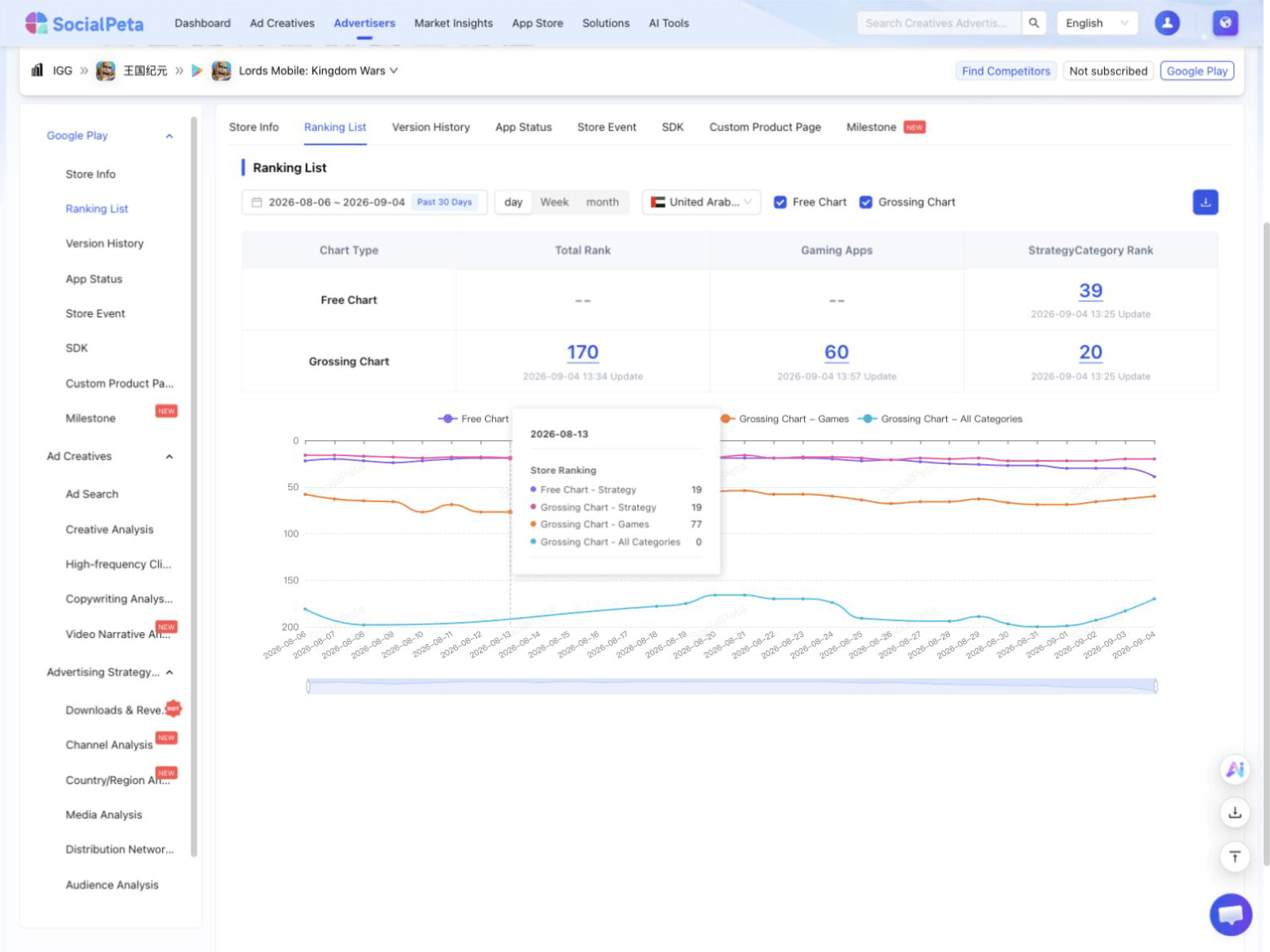
SocialPeta full app ranking history interface
Product interface preview

Full rankings and history

View daily ranking charts and compare categories or markets.

Data available
Open this analysis in SocialPeta
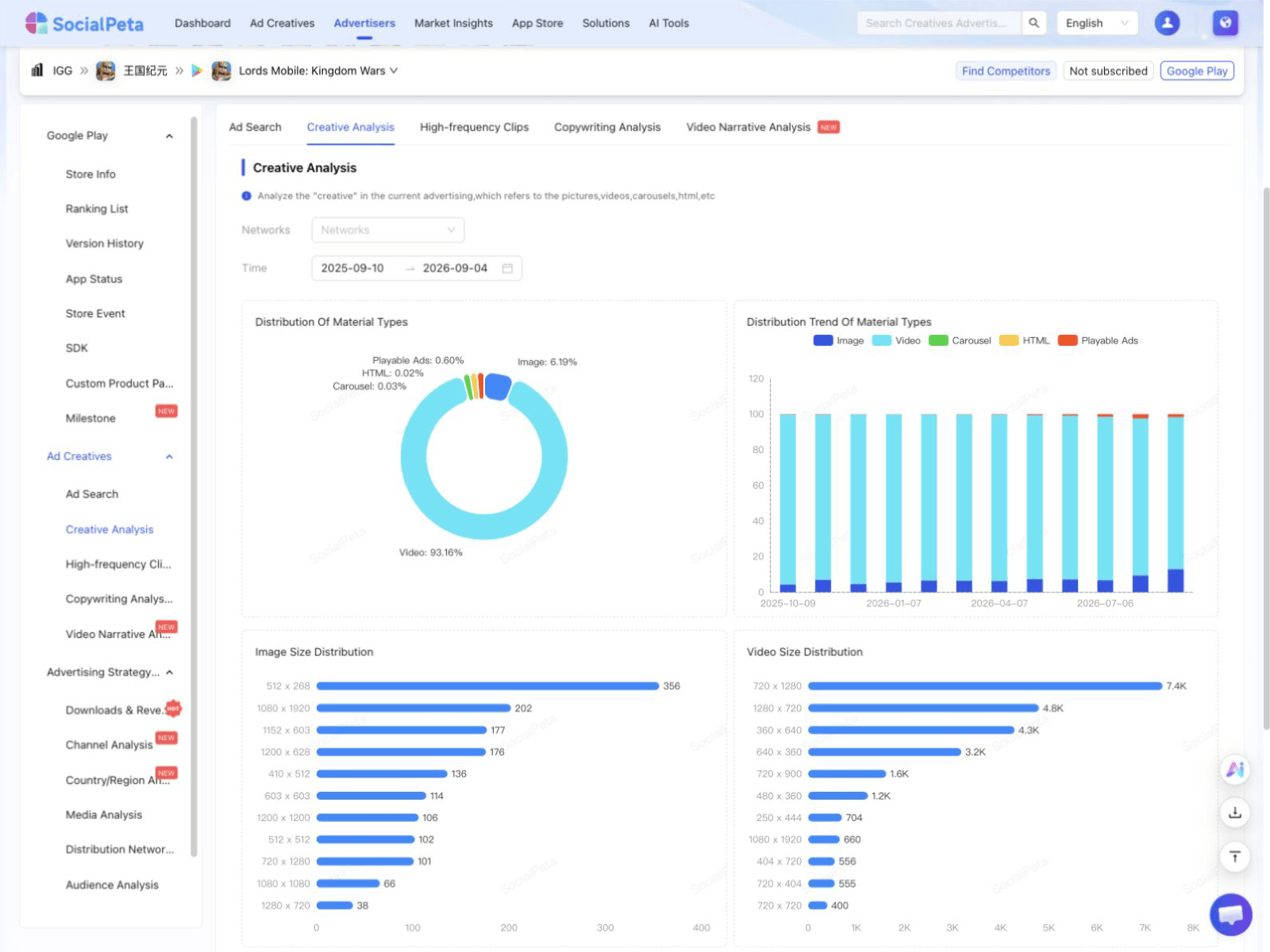
SocialPeta creative analysis interface
Product interface preview

Creative and message analysis

Compare creative formats, dimensions, duration, recurring clips, and ad copy.
Data available
Open this analysis in SocialPeta
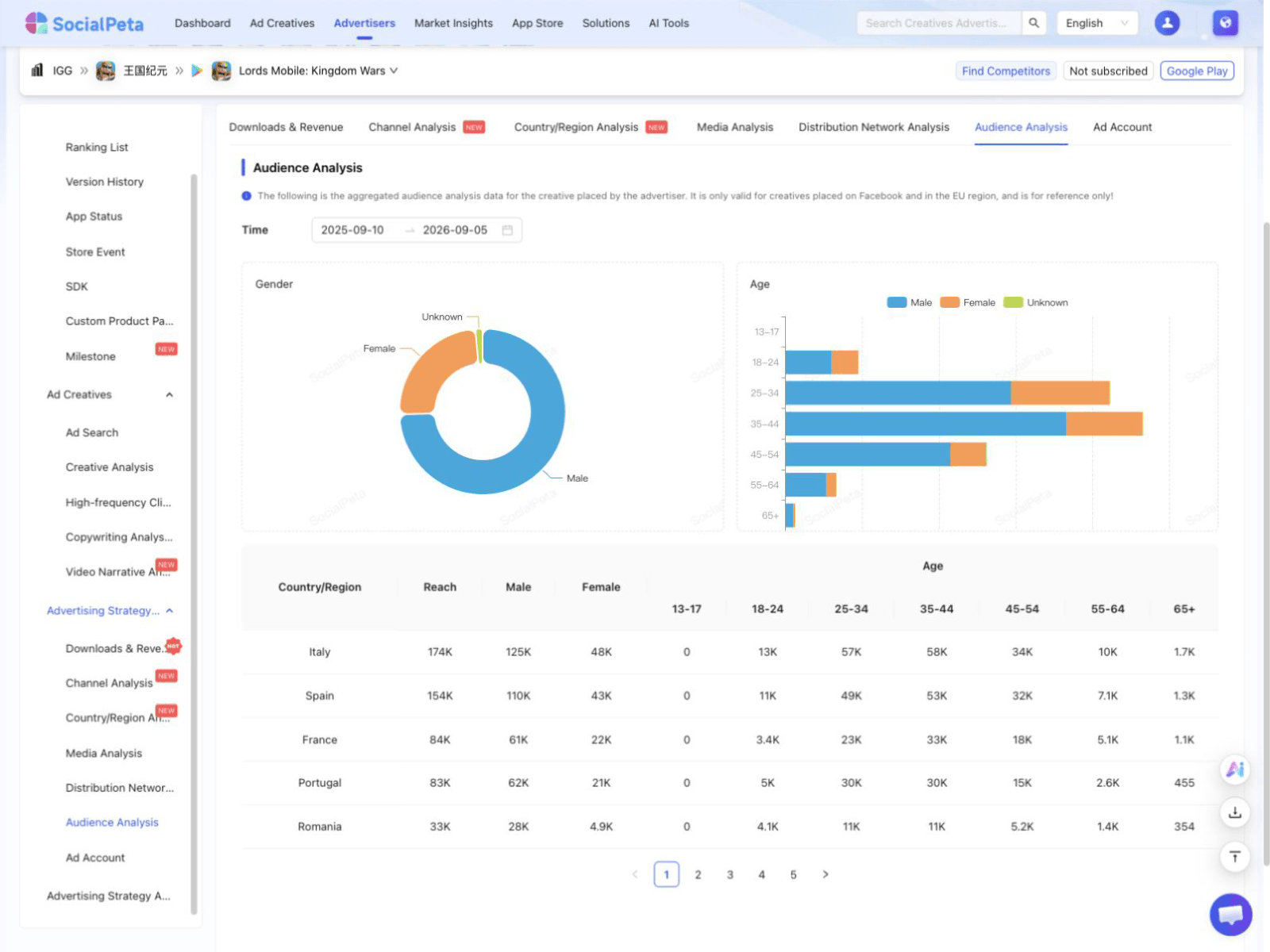
SocialPeta audience analysis interface
Product interface preview

Audience and distribution analysis

View audiences, publishers, networks, channels, countries, and delivery platforms.
Data available
Open this analysis in SocialPeta
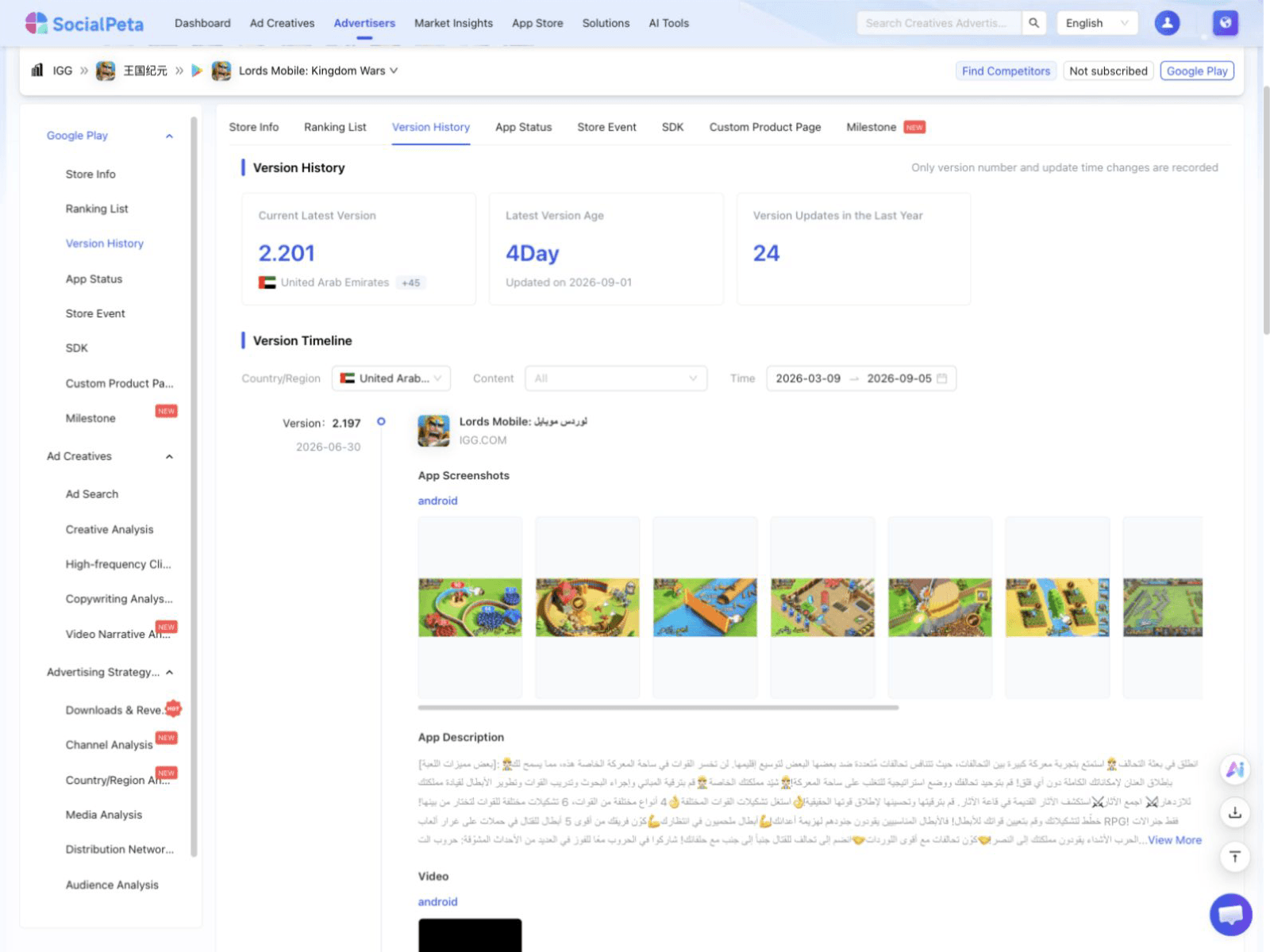
SocialPeta app version history interface
Product interface preview

App lifecycle and store history

View version changes, listing status, store events, SDKs, and custom product page history.

Data available
Open this analysis in SocialPeta

About this data

Ad figures only cover activity observed by SocialPeta and do not represent the advertiser's full media plan. Store details come from the current source market. Paid data is not included in this page.

Public data last updated Oct 18, 2026

SocialPeta

SocialPeta is a leading ad intelligence platform with a database of 1.7B+ creatives across 80+ countries. It provides competitive analysis and cost insights to optimize advertising strategies and drive global growth.

Contact Us

  • +86 135 81833414
  • +86-18910503414
  • summer@socialpeta.com

Links

  • Home
  • Blog
  • Ad Spy Tool
  • Ad Intelligence Platform
  • Top Grossing Mobile Games
  • Monthly Mobile Game Rankings
  • App Pre-Registration Calendar
  • Global Marketing Calendar
  • About Us
  • Contact Us

Resources

  • Ad Library
  • Mobile App Top Charts
  • Academy
  • Webinars
  • Tutorials
  • Marketing Glossary
  • Success Stories

Social Media

Products

  • Ad Intelligence
  • Creative Analysis
  • App Intelligence
  • AI Copilot

Solutions

  • Games
  • Utility Apps
  • GenAI Apps
  • Short Drama
  • E-commerce

© Copyright 2026 SocialPeta

Launched on Fazier
  • Refund Policy
  • Terms of Service
  • Privacy Policy