
10 Best YouTube Ad Spy Tools in 2026
YouTube competitor research needs more than a video gallery. The useful stack combines official advertiser verification, specialist direct-response archives, cross-platform creative search, auction overlap, and destination context.
The short answer
Start with Google Ads Transparency Center for free advertiser verification. Choose SocialPeta for cross-platform creative and advertiser research, VidTao or VidSniff for YouTube-focused direct response, BigSpy for broad social coverage, and Auction Insights to identify overlap inside your own Google Ads account.
Best YouTube ad spy tools: Quick picks
- Best overall for cross-platform creative research: SocialPeta
- Best free first-party check: Google Ads Transparency Center
- Best for YouTube direct-response research: VidTao
- Best for performance creatives and landing pages: VidSniff
- Best multi-platform database: BigSpy
- Best for advertisers competing in your auctions: Google Ads Auction Insights
A YouTube ad library, a Google advertiser database, and Auction Insights answer different questions. Choose the missing evidence first. Buying all three categories does not make a weak research process stronger.
Why YouTube ad research is harder than Meta research
There is no separate official YouTube Ad Library. Google includes YouTube disclosures in Ads Transparency Center, organized around verified advertisers. That is useful for identity and creative verification, but it is not designed as a production swipe file or a full campaign-history product.
Video identity is messy. The same creative can be uploaded to several channels, run as an unlisted asset, cut into different lengths, paired with different landing pages, or delivered through formats that a third-party collector does not label consistently. A thumbnail can survive while the original video or destination disappears.
Targeting is also mostly private. An outside tool may observe a placement or model distribution. It cannot expose the advertiser's complete audience, bid, exclusion, budget, conversion, or remarketing setup. Your own Auction Insights adds overlap information, but only for advertisers participating in eligible auctions with your account.
How we evaluated the tools
We reviewed the current organic results, official vendor pages, Google's advertiser-verification documentation, and recent practitioner discussions. The YouTube category is thinner than Facebook and TikTok. Several popular “ad spy” tools do not clearly document YouTube coverage, while some ranking pages assume any Google data equals YouTube creative intelligence.
We favored products that have a specific YouTube or Google video role. Evaluation covered advertiser search, playback, historical context, destination links, regional filters, cross-platform comparison, source traceability, estimate labeling, exports, and team workflow. Supporting platforms earned a place only when they answer a related question the creative libraries cannot.
We did not publish vendor database sizes or synthetic scores. Those numbers age quickly and may combine platforms, duplicates, countries, and inactive records. SocialPeta is our product and is disclosed as such.
The 10 YouTube ad spy and competitor research tools compared
| Tool | Type | Best for | Watch for |
|---|---|---|---|
| 1. SocialPeta | Cross-platform creative intelligence | YouTube creative research beside apps, advertisers, and other channels | Validate YouTube depth for your countries and advertiser set |
| 2. Google Ads Transparency Center | Official advertiser transparency | Free verification of ads from verified Google advertisers | It is not a complete historical or competitive workflow |
| 3. VidTao | YouTube direct-response intelligence | YouTube-focused creative, advertiser, offer, and funnel research | Its performance-marketing focus may be narrow for brand teams |
| 4. VidSniff | YouTube performance-ad research | Finding direct-response creatives and following their landing pages | Verify database depth and estimate methodology in your niche |
| 5. BigSpy | Multi-platform ad database | YouTube research alongside Meta, TikTok, and other social channels | YouTube access and depth may differ by subscription tier |
| 6. AdEye | Google advertiser and creative research | Viewing YouTube beside Search, Shopping, and Display ads | Observed ads do not reveal the advertiser's full Google Ads account |
| 7. AdPlexity | Affiliate and performance intelligence | Offers, video creatives, landing pages, and funnel paths | Products and plans are specialized by traffic type |
| 8. PowerAdSpy | Multi-network ad search | Budget-conscious search across YouTube and other channels | Confirm current YouTube filters, playback, history, and plan limits |
| 9. Google Ads Auction Insights | First-party auction overlap | Identifying advertisers competing in your own eligible auctions | It uses your account data and does not expose competitor creatives |
| 10. Similarweb | Website and traffic intelligence | Adding destination, channel, and market context after finding a YouTube ad | It is not a YouTube creative library |
Detailed reviews: Which YouTube research tool fits?
1. SocialPeta
Best for: YouTube creative research beside apps, advertisers, and other channels
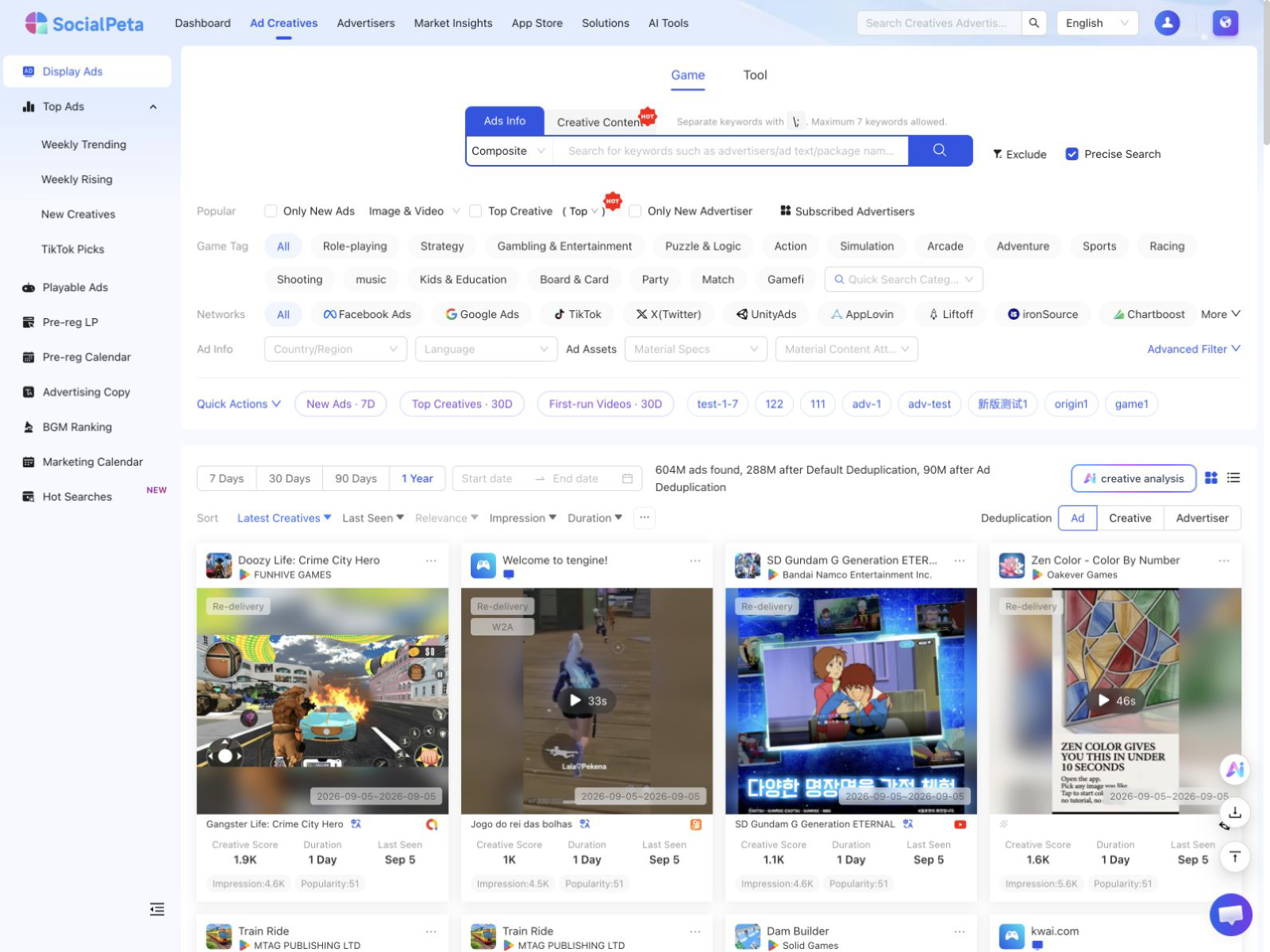
SocialPeta is the strongest fit in this guide for teams that want YouTube creative research connected to a wider advertising picture. The display-ad workflow supports Google and YouTube-related creative discovery alongside Facebook, TikTok, X, and mobile networks. Researchers can narrow results by advertiser, market, language, category, format, date, and creative attributes, then inspect detail pages with the advertiser, landing page, related ads, observable campaign signals, and video analysis. This suits mobile app and game teams that compare how one concept changes across channels. SocialPeta publishes the guide, so test it with the same YouTube advertisers used elsewhere.
2. Google Ads Transparency Center
Best for: Free verification of ads from verified Google advertisers
Google Ads Transparency Center is the free first-party starting point. Google's advertiser-verification documentation says users can search by advertiser name or website and filter results by serving region and date. The disclosures cover Google services such as Search and YouTube, plus partner sites. This is useful for confirming advertiser identity and seeing the ads Google exposes. It does not reveal complete audience targeting, bids, spend, placements, conversion data, or campaign structure. Save the advertiser record and creative as evidence, then use another tool if you need monitoring, grouping, landing-page analysis, or cross-channel comparison.
3. VidTao
Best for: YouTube-focused creative, advertiser, offer, and funnel research
VidTao is a YouTube specialist built for direct-response researchers. Its value is the focus on video ads, advertisers, offers, channels, landing pages, and longevity or spend-oriented signals used by performance marketers. A specialist can be easier to search than a broad social database when YouTube is the primary channel. Buyers should ask how estimates are calculated, whether Shorts and current Google video formats are represented, and how the platform handles unlisted or removed videos. Test a known advertiser and funnel before trusting a ranked list.
4. VidSniff
Best for: Finding direct-response creatives and following their landing pages
VidSniff is another YouTube-centered option for performance marketers and ecommerce teams. It is designed to help users discover video ads, inspect advertisers and offers, and connect the creative with the destination. This can be more useful than a generic video gallery because direct-response ads are only half understood without the page that receives the click. During a trial, search for campaigns your team has seen in the wild, check whether the video still plays, and compare run-date or spend signals with what the vendor says they mean.
5. BigSpy
Best for: YouTube research alongside Meta, TikTok, and other social channels
BigSpy is a reasonable option when YouTube is one channel in a broader creative-research stack. Teams can look for video concepts across platforms and compare how advertisers adapt the same offer. The broad database is the selling point and the main caution. Confirm that the plan under consideration includes the YouTube access, history, filters, and downloads your team expects. Search smaller regional advertisers as well as famous brands. Sparse results on the smaller set often expose practical coverage limits.
6. AdEye
Best for: Viewing YouTube beside Search, Shopping, and Display ads
AdEye is useful when the competitor question spans Google's formats. Instead of treating YouTube as an isolated video channel, the researcher can inspect how an advertiser's messaging appears across Search, Shopping, Display, and YouTube. That helps with campaign narratives and client teardowns. Its own comparison material says it builds on Google's transparency records, so buyers should distinguish source observations from any added estimates or analysis. Evaluate search by advertiser domain, regional filtering, history, exports, and how clearly source records remain attached.
7. AdPlexity
Best for: Offers, video creatives, landing pages, and funnel paths
AdPlexity belongs on the shortlist for affiliate and direct-response teams that care about the offer and funnel after the video. It is less about brand inspiration and more about campaign structure, landing pages, redirects, and performance-oriented research. Product packaging matters because AdPlexity separates traffic types. Ask the vendor to show the exact YouTube or video workflow included in the quoted plan, then trace a known offer from creative to destination. Do not assume a social or native module includes every video source.
8. PowerAdSpy
Best for: Budget-conscious search across YouTube and other channels
PowerAdSpy is often considered by teams that need several channels at a lower entry point. Common search paths include advertiser, keyword, creative, call to action, and landing page. For YouTube, the trial needs to be strict. Check whether the tool finds known current ads, preserves advertiser and date context, distinguishes platform placement, and keeps the destination accessible. A long platform list is not useful if YouTube records are shallow or stale.
9. Google Ads Auction Insights
Best for: Identifying advertisers competing in your own eligible auctions
Auction Insights is not an ad spy library, but it answers a question the libraries cannot: who overlaps with your own eligible Google Ads auctions. Depending on campaign type, Google reports comparative metrics for participating advertisers. This is first-party competitive context tied to your account, not a market-wide archive. It does not show a competitor's settings, spend, or complete campaign. Use it to decide which advertisers deserve creative research, then search those names in Ads Transparency Center or another YouTube tool.
10. Similarweb
Best for: Adding destination, channel, and market context after finding a YouTube ad
Similarweb is included as a supporting research platform, not a substitute for the tools above. After a YouTube ad points to a website, Similarweb can help a strategy team study the destination, traffic mix, referrals, market movement, and competing sites. This is useful when the ad is one piece of a broader acquisition question. It will not reconstruct the YouTube creative archive or reveal exact video-campaign economics. Buy it only if web and market context is a recurring part of the brief.
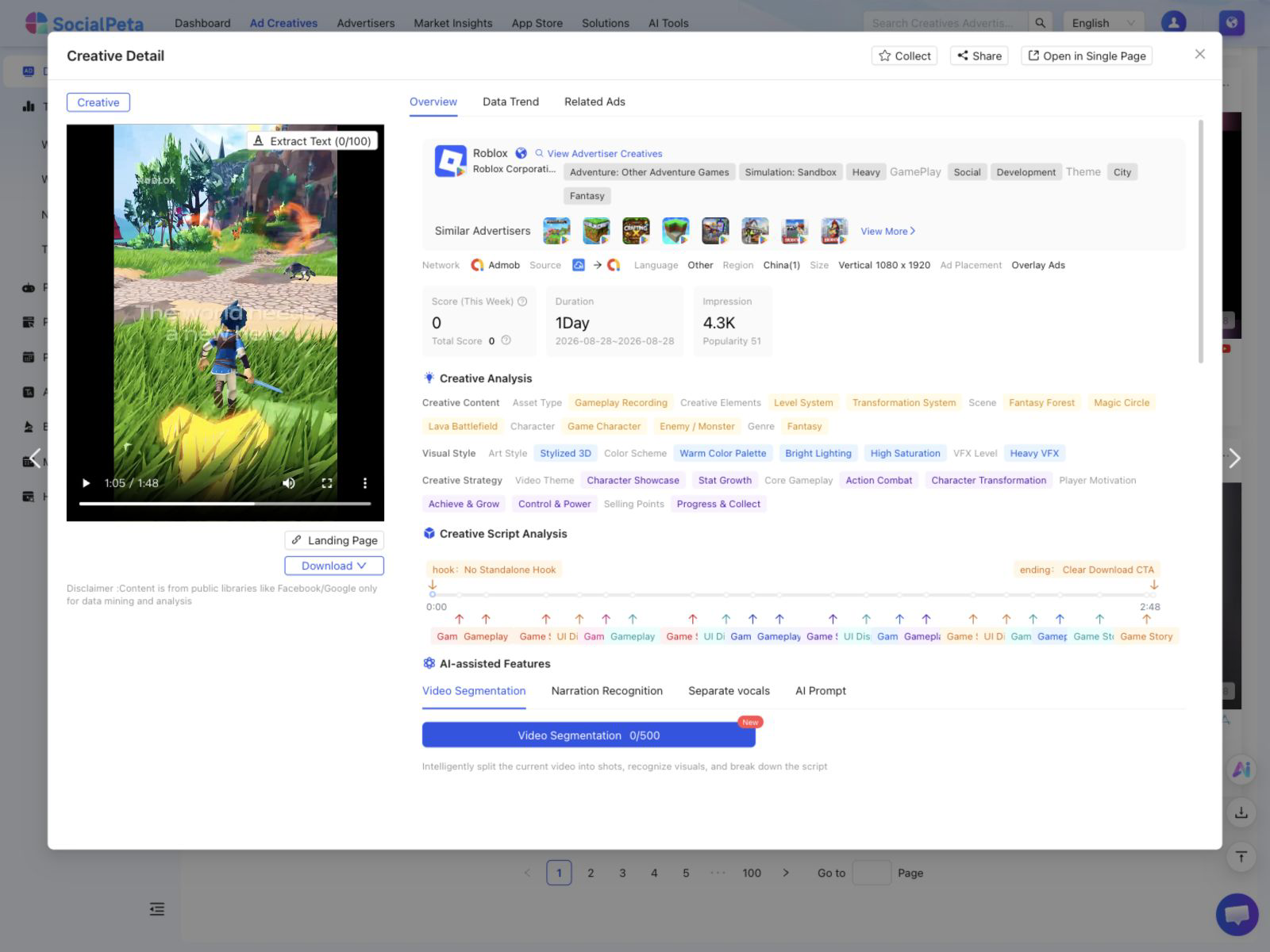
How to break down a competitor YouTube ad
Separate the format before comparing the script. A vertical Shorts execution, a skippable in-stream ad, and a longer direct-response video face different viewer behavior. If the source does not identify placement, record the uncertainty.
- Transcribe the first five seconds and note the first visual change, brand cue, and promise.
- Mark the problem, mechanism, demonstration, proof, objection handling, offer, and call to action.
- Record the presenter type, production style, pacing, duration, captions, music, and product visibility.
- Open the destination. Check whether the message, product, offer, and proof continue after the click.
- Find related cuts and decide what changed: opening, length, proof, audience cue, offer, or end card.
- Write an original test that changes one primary variable and define the metric before launch.
Do not call an ad a winner because it remains visible or appears in several cuts. Those are useful research signals. They do not expose spend, conversion rate, contribution margin, or incrementality.
A fair 60-minute YouTube tool trial
Use two large competitors, one smaller advertiser, two regions, and one campaign your team has already seen. Ask each vendor to find the same evidence.
- Confirm the advertiser identity and find the known video in the target region.
- Preserve the video, observation dates, destination, and source record.
- Find related cuts or campaigns and explain how the product decides they are related.
- Compare the advertiser's message with another channel when cross-platform research is promised.
- Export a short brief and list broken videos, missing metadata, estimate definitions, and plan limits.
Run the first check in the SocialPeta Ad Library with YouTube selected, then compare the paid ad spy tool workflow. If the question extends to Meta, TikTok, native, or mobile networks, use the broader ad spy tools comparison.
Frequently asked questions
What is the best YouTube ad spy tool in 2026?
SocialPeta is the best fit in this guide for cross-platform creative and advertiser research that includes YouTube. VidTao and VidSniff are more specialized for direct-response YouTube research, while BigSpy is useful when teams also study Meta and TikTok. Google Ads Transparency Center is the best free first-party check.
Does YouTube have an official ad library?
Google includes YouTube advertiser disclosures in the Google Ads Transparency Center rather than offering a separate YouTube-only ad library. You can search by advertiser name or website and filter by region and date, but the tool is designed for transparency rather than a complete competitor workflow.
Can YouTube ad spy tools show competitor targeting?
They may infer placements or show where an ad was observed, but they cannot reveal a competitor's complete audience settings, bids, exclusions, remarketing lists, or campaign structure. Google Ads Auction Insights only reports overlap for advertisers competing in your own eligible auctions.
Can I see how much a competitor spends on YouTube ads?
No external tool can show exact spend from a competitor's private Google Ads account. Some platforms publish modeled estimates, but methodology and coverage differ. Treat those figures as directional and do not convert them into claims about profit or return on ad spend.
What should I analyze in a competitor YouTube ad?
Record the opening five seconds, problem and promise, proof, presenter or creator style, visual demonstration, pacing, offer, call to action, duration, destination, and the match between the ad and landing page. Separate Shorts, skippable in-stream, non-skippable, and other video contexts when the evidence allows.
Which YouTube ad spy tool should you choose?
Use Google Ads Transparency Center for a free advertiser and creative check. Choose SocialPeta when YouTube research belongs inside a broader app, game, advertiser, and channel workflow. VidTao and VidSniff fit direct-response specialists. BigSpy is the generalist option, while AdEye is useful when the brief spans Google formats. Auction Insights and Similarweb are supporting tools for first-party overlap and destination context.
A paid platform earns its place when it finds relevant videos, preserves the evidence, and shortens the path to an original test. A larger feed by itself is not enough.